Reminds you until the wishes are sent.

Byrthday nudges you ahead of birthdays, anniversaries and your own occasions. Tap the reminder and the right greeting is already open: pick it, make it yours, send it on WhatsApp.

See how it works

Coming soon to the App Store and Google Play

  • Free
  • No account
  • Data stays on your device
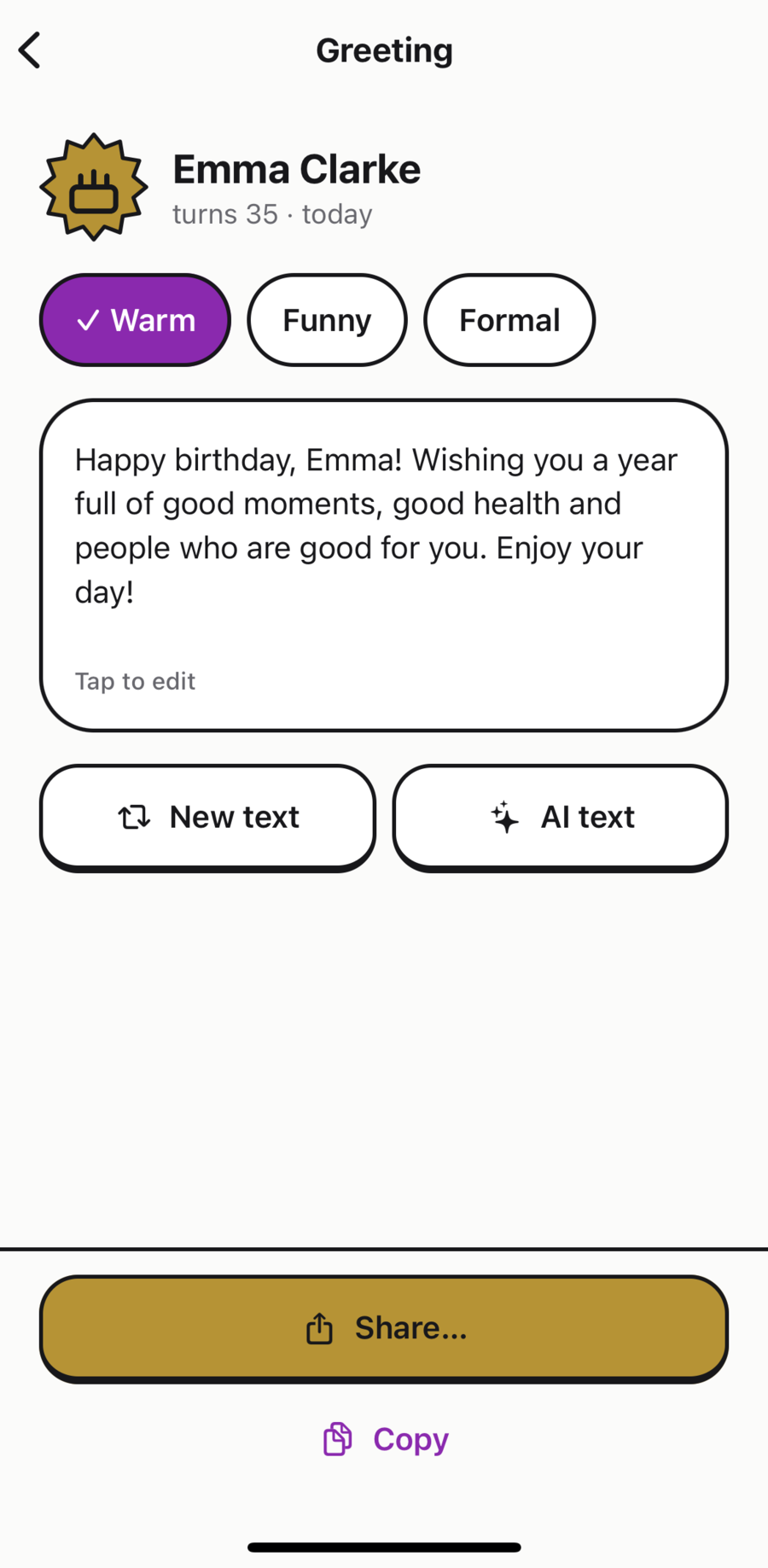
Greeting screen for Emma Clarke with the tones Warm, Funny and Formal and a ready-made birthday text.
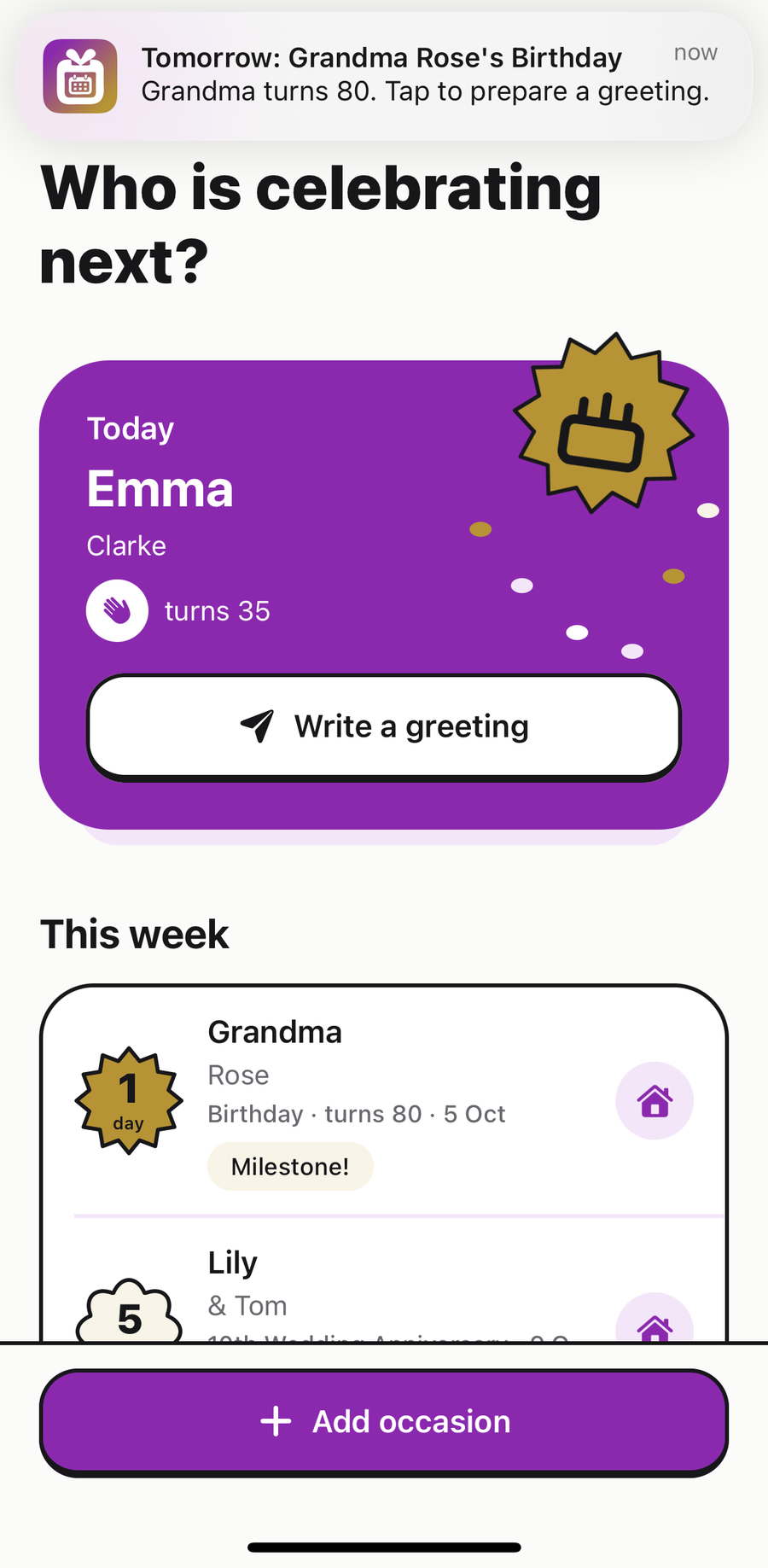
Byrthday home screen with the notification “Tomorrow: Grandma Rose’s Birthday – Grandma turns 80. Tap to prepare a greeting.” Below it the card “Today: Emma Clarke, turns 35” with the button “Write a greeting”.

More joy in sending wishes

“Right on time, no stress.”

Reminders with time to spare. Byrthday reminds you a week before, the day before and on the day. If you like, it keeps at it on the day until you tap “Done”.
“That sounds just like us.”

The words are ready. Free templates to suit the relationship, warm, funny or formal, with the nickname, age or anniversary already filled in. And if you like, AI writes a personal text.

“I already have an idea.”

Gift ideas at hand. Jot down ideas on the occasion the moment they come to you, and note what you gave. Next year you will know what they already have.

From reminder to greeting in three steps

Tap the reminder and you land on the right occasion, greeting ready.

  1. Notification “Tomorrow: Grandma Rose’s Birthday – Grandma turns 80. Tap to prepare a greeting.” above the Byrthday home screen.

    The reminder arrives

    In time, with the name and the occasion. One tap opens the right greeting.

  2. Greeting screen: the tone “Warm” is selected, below it the text “Happy birthday, Emma! …”, the buttons “New text” and “AI text”, and at the bottom “Share…” and “Copy”.

    Pick a tone, your greeting is ready

    Start with a free template: warm, funny or formal. Edit it, try another or choose an optional AI text.
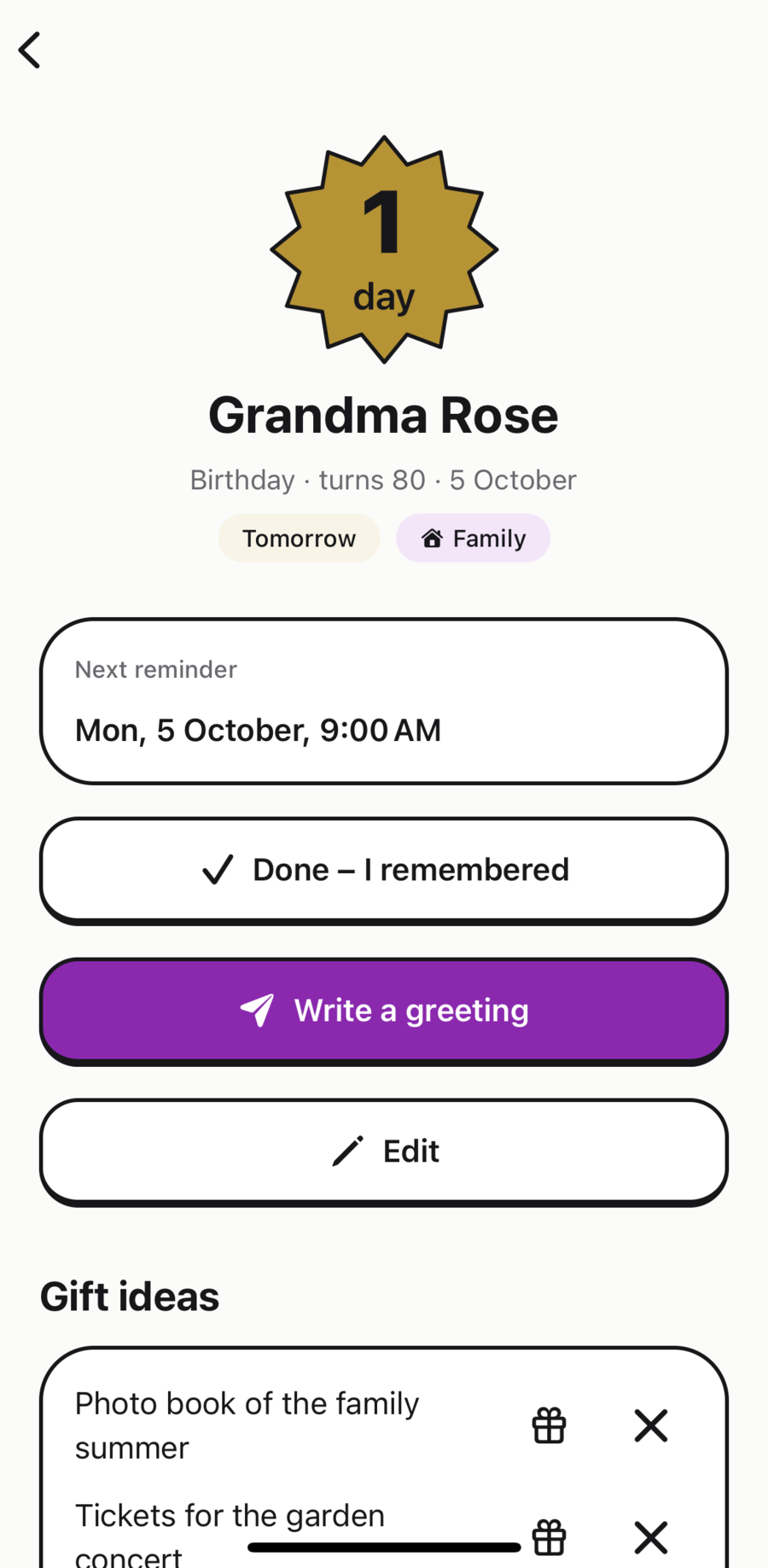
  3. Occasion Grandma Rose, birthday, turns 80, tomorrow. Next reminder Monday, 5 October, 9:00 AM, with the buttons “Done – I remembered”, “Write a greeting” and “Edit”, followed by the gift ideas.

    Send it and tick it off

    Share it on WhatsApp or any other app, or copy it. You always press send yourself. Then tap “Done” and the reminders for that occasion stop.

Reminders that stick

You choose when Byrthday speaks up and whether it keeps at it on the day, for all occasions or each one on its own.

The closer the day, the more festive

  • Later
  • This month
  • This week
  • Tomorrow and today

The countdown sticker shows at a glance how much time is left – no reading needed.

Choose your lead time
30, 14, 7, 3, 2 or 1 day before and on the day, at the time you choose.
Persistent on the day
Once, or every three hours until 9 pm. In alarm mode a real alarm rings, even on silent or in a Focus, then hourly until you tap “Done”.
Try it first
Settings show what the reminder on the day looks like, and you can send yourself a test.
Milestones in view
Milestone birthdays and anniversaries such as the 10th wedding anniversary are recognised and highlighted.
Any occasion
Birthdays, wedding and relationship anniversaries or your own occasions like a name day. The year is optional, and leap-day birthdays get their reminder on 28 February.
Quick to set up
Add birthdays and anniversaries from your contacts and calendars, you choose which. If you like, your occasions also appear in a calendar of their own called “Byrthday”.

Whether and when a reminder appears depends on your device’s notification and battery settings. On iPhone the real alarm needs iOS 26 or later; otherwise a time-sensitive notification arrives instead.
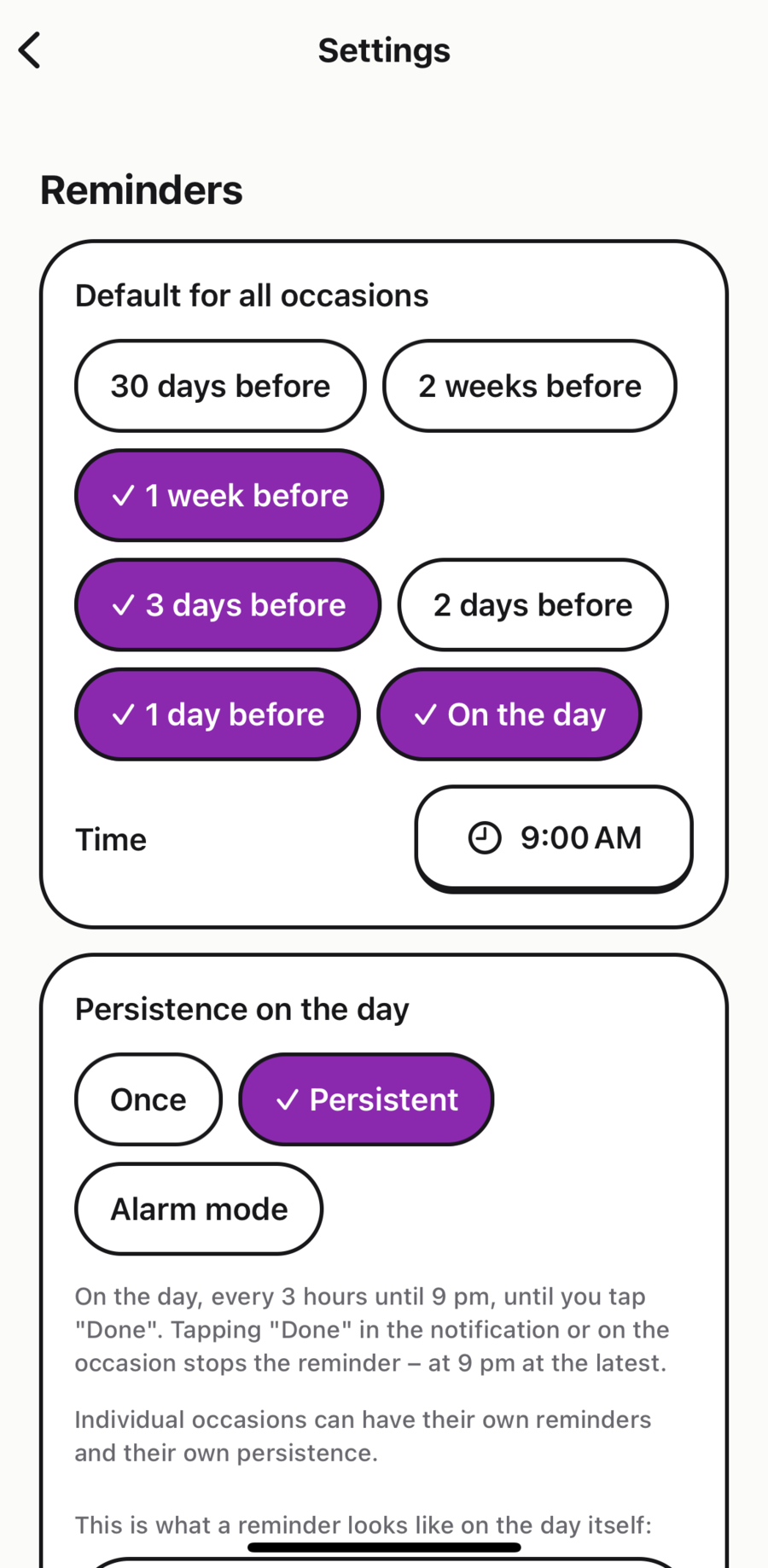
Settings: reminders one week, three days and one day before and on the day at 9:00 AM. Persistence on the day: Once, Persistent (selected) or Alarm mode.

Gift ideas, safely kept

The idea strikes in July, the birthday is in October. Byrthday keeps it with the occasion and shows you what you gave in past years.
Jot it down
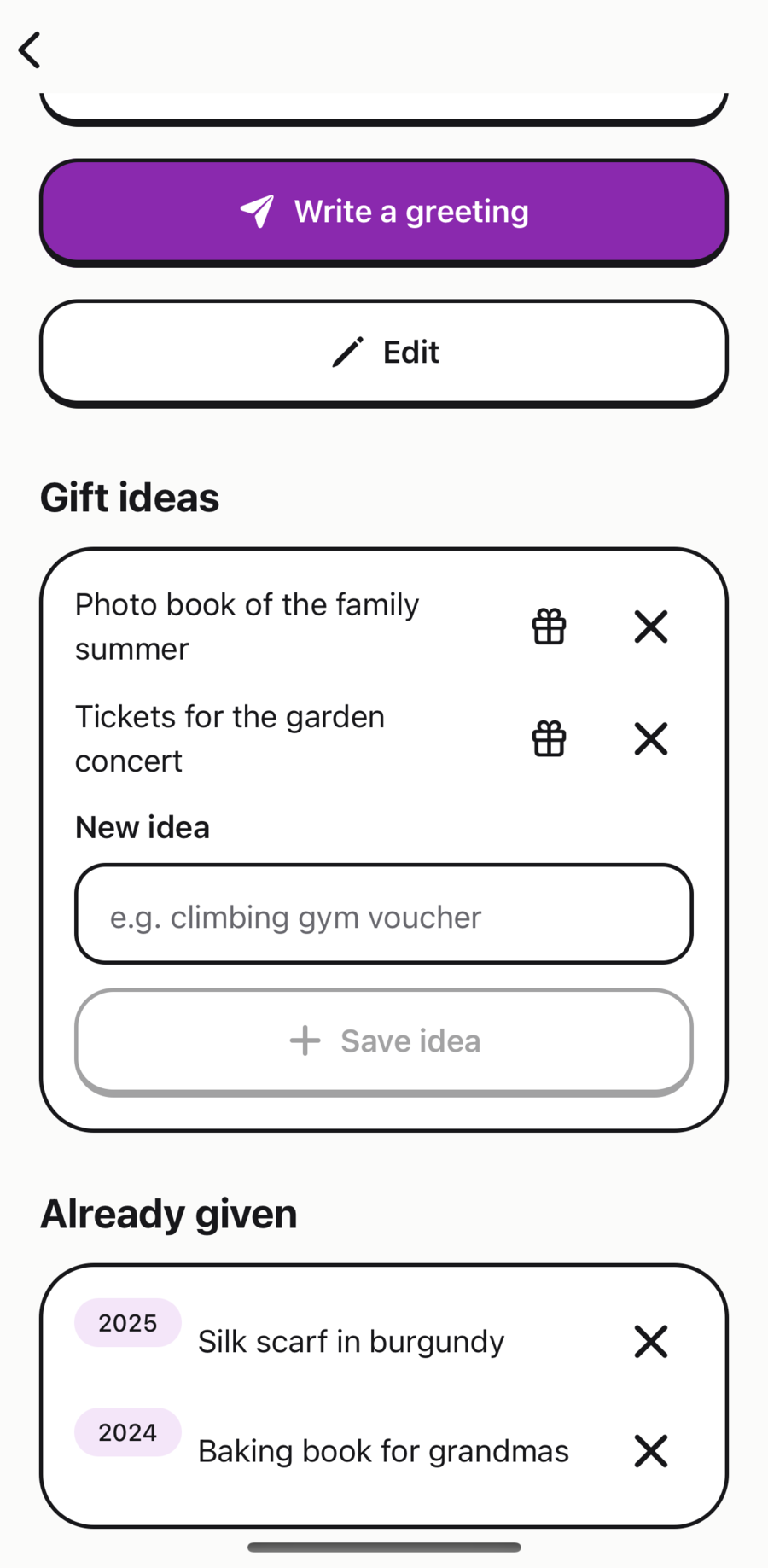
A few words are enough, like “climbing gym voucher”, right on the occasion, whenever it comes to you.
Mark it as given
Tap the gift icon and the idea moves to “Already given”, with the year. No more giving the same thing twice.
Just for you
Your notes live only on your device. No shop links, no product ads, just your own ideas.
Occasion Grandma Rose with the gift ideas “Photo book of the family summer” and “Tickets for the garden concert”, below it “Already given”: 2025 Silk scarf in burgundy, 2024 Baking book for grandmas.

Your data stays with you

No account, no sign-up, no cloud. Your occasions live only on your device, and we have no access to them.

Stays on your device

  • All occasions, names, dates and gift ideas
  • Contacts and calendars, read only to suggest occasions
  • Reminders and settings, with no push server

Sent to our server only for an AI text

  • First name or nickname, occasion, tone and relationship
  • Optional: the years and your keywords
  • No contact details, no account; we store only your anonymous quota

Not part of Byrthday

  • Uploading your contact list
  • Phone numbers or email addresses
  • Analytics or tracking services

This website uses no cookies and no analytics either.All details in the privacy policy

Free. Really.

Remembering and sending wishes cost nothing – not today and not later.

Everything to remember and send your wishes

€0Free

  • Unlimited occasions and every reminder mode
  • All English and German templates, offline and unlimited
  • Import from contacts and calendar
  • Gift ideas and what you have already given
  • 5 personal AI texts per device included

Byrthday Plus

Price to followPlanned

  • Unlimited AI texts (fair use)
  • No ads
  • Planned as a subscription or a one-time purchase, right in the store

Frequently asked questions

What does Byrthday cost?

Nothing. Reminders, every template, gift ideas and sharing are free and unlimited, plus 5 AI texts per device. Byrthday Plus is planned for unlimited AI texts; prices are not set yet.

Do I need an account?

No. There is no sign-up; you give us neither your name nor an email address.

What happens to my contacts?

Byrthday reads birthdays and anniversaries from your contacts only if you allow it, and you choose what gets imported. None of it leaves your device.

How do the AI texts work?

If you choose, AI (OpenAI, via our server) writes a personal greeting from the first name or nickname, occasion, tone, relationship, optionally the years, and your keywords. Contact details are never included. You can edit the text before sharing. Free templates are always the first choice.

Can I keep track of gift ideas?

Yes. On every occasion you note ideas and mark what you gave, with the year. There are no shop links, and your notes stay on your device.

Will Byrthday ring when my phone is on silent?

In alarm mode, yes: on the day a real alarm rings, even on silent or in a Focus. On iPhone this needs iOS 26 and your permission, on Android the “Alarms & reminders” permission. Otherwise a time-sensitive notification arrives.

Does Byrthday work offline?

Yes. Reminders, templates and gift ideas work completely offline. Only AI texts need a connection.

What happens when I get a new phone?

Your occasions live on the device and are part of its regular backup. Restore your new phone from that backup and they are back.

Does Byrthday show ads?

The current version shows no ads. If the free version gets small banners in the future, they will never get between the reminder and the greeting. The planned Byrthday Plus will be ad-free.

Which languages does Byrthday speak?

The app, templates, reminders and AI texts are all in English and German. Byrthday follows your device language, and you can change it in the app.

When will Byrthday be available?

We are preparing the launch on the App Store and Google Play. As soon as the app is available, you will find the links right here.

The next birthday is coming.

Byrthday reminds you in time – and the greeting is sent in seconds.

Coming soon to the App Store and Google Play